
This collection is curated by the Tech Cyber News Team, a group of tech writers publishing news, guides and reviews about technology and cybersecurity. Our team verifies every story and checks every step before publishing, so you can stay safe and informed online.
Short answer: most people still need antivirus in 2026, but it no longer has to be a separate product you pay for. If you use a modern Windows PC or a Mac, keep it updated, and avoid obviously risky downloads, the protection built into your operating system already does most of the job. A paid antivirus suite is still worth it for some people, though, especially if you share a computer with kids, run a small business, handle sensitive work files, or want extras like a VPN, a password manager and identity monitoring in one package.
The question has changed a lot over the past few years. Antivirus used to be the first thing you installed on a new computer. Today Windows Defender and macOS built-in defences catch most common threats on their own, and the bigger risks are phishing emails, fake websites and stolen passwords, which no antivirus can fully stop. So the honest answer is not yes or no. It depends on how you use your computer.
This guide explains what built-in protection actually does, where it falls short, who should still pay for a suite, and how to pick one without wasting money.
What built-in protection already does for you
If you run Windows 10 or Windows 11, you already have Microsoft Defender Antivirus. It is on by default, it updates itself through Windows Update, and it scans files in real time. Independent testing labs such as AV-TEST regularly give it top marks for protection, putting it in the same range as paid products for catching known malware. It also includes a firewall, protection against ransomware folders, and a browser filter in Edge that blocks known malicious sites.
On a Mac, the picture is similar. macOS includes Gatekeeper, which blocks apps from unknown developers, XProtect, which checks downloaded files against a list of known malware, and a built-in firewall. Apple also notarises apps in the App Store and scans them for malware before they reach you.
For the average user, this built-in layer catches the threats they are most likely to meet: an infected email attachment, a dodgy download, a malicious website. It runs quietly, it does not nag you to renew anything, and it does not slow your computer down the way old antivirus products used to.
That is why many security experts now say that a careful user with an updated operating system can get by without paying for antivirus. The built-in tools are genuinely good, and they were not always this good.

Where built-in protection falls short
Built-in protection is good, but it is not complete. There are several gaps worth knowing about.
First, it is mostly reactive. Defender and XProtect are excellent at spotting known malware, but they are weaker against brand new threats that have never been seen before. Paid suites invest more in behavioural detection, which watches what a program does rather than what it looks like, and can stop a new ransomware variant even if no one has identified it yet.
Second, built-in protection does very little about phishing. A fake login page for your bank looks like a normal website to your operating system. Some paid suites and browser extensions check web addresses against live lists of phishing sites and warn you before you type in your password. Microsoft Edge and Chrome do some of this too, but the paid products tend to update their lists faster.
Third, there is no bundled extra protection. Defender does not come with a password manager, a VPN, parental controls, or identity theft monitoring. You can get all of those separately, often for free, but it means managing several tools instead of one dashboard.
Fourth, built-in tools do not help much if the problem is not malware at all. If someone steals your password in a data breach, or tricks you into sending money to a scammer, no antivirus will save you. Those are the fastest growing threats in 2026, and they need different habits, which we cover later in this guide.
Finally, there is the human factor. Built-in protection assumes you keep your system updated, do not turn off security features, and do not click through warnings. Paid suites add a safety net for the days when you are tired, rushed, or distracted, which is when most mistakes happen.
Who still needs paid antivirus, and who does not
Let us be practical. Here is how to decide which group you fall into.
You can probably rely on built-in protection alone if you are a careful home user on a single computer, you keep Windows or macOS updated automatically, you download software only from official sources, you use a password manager and two-factor authentication, and you do not click links in unexpected emails. Add a free browser extension for phishing protection and a regular backup, and you are in good shape.
You should consider a paid suite if any of these apply to you. You share a computer with children or less tech-savvy family members who might click anything. You run a small business or handle client data, where one infection could cost real money. You do online banking and shopping on the same machine you use for downloads and torrents. You want one subscription that covers every device in the house, including phones and tablets. You travel a lot and use public Wi-Fi, where a bundled VPN is genuinely useful. Or you simply want someone to call when something goes wrong, which paid products offer through support lines.
The point is that paid antivirus is no longer about basic malware detection. That part is mostly solved for free. What you pay for now is the extra layer: better detection of new threats, phishing protection, and a bundle of tools that would cost more bought separately.
What to look for in a 2026 antivirus suite
If you do decide to pay, do not buy based on the brand name alone. Check these five things before you spend anything.
Independent test scores. Look at recent results from AV-TEST and AV-Comparatives, two independent labs that test antivirus products against real threats. A product that scores well in both is a safer bet than one that only advertises its own claims. The leading suites all score highly here, so this is more a filter for bad products than a way to pick a winner.
Performance impact. A good antivirus should be invisible. Check the lab scores for performance, which measure how much the software slows down everyday tasks such as opening apps, copying files and browsing. The best products add almost no delay. The worst ones can make an older laptop feel sluggish.
Number of devices. Most suites now cover 5 devices or more on a standard plan, and some cover unlimited devices. Count the phones, tablets and laptops in your household before you buy. A cheap plan that covers one device is a false economy if you need to protect five.
The extras you will actually use. VPNs, password managers, parental controls, cloud backup and identity monitoring are bundled to make suites look like good value. Only pay for extras you will use. A VPN capped at 200 MB a day, which some suites include, is barely enough for anything. If you need a real VPN, you may be better off buying one separately.
The renewal price. This is the trap almost everyone falls into. First-year prices are heavily discounted, sometimes by half or more, and then the subscription renews at a much higher price with auto-renewal switched on. Always check the renewal price before you buy, and set a calendar reminder a month before it renews so you can decide whether to keep it, renegotiate, or switch.
The leading suites compared
Prices below are approximate ranges based on the vendors’ own US pricing pages, as checked in late October and mid November 2026. Prices change often, especially around Black Friday, so treat these as a guide and confirm the live price on the vendor’s site before you buy. First-year prices are promotional; renewal prices are higher.
| Suite | First-year price (approx.) | Renewal price (approx.) | Devices | Best for |
|---|---|---|---|---|
| Microsoft Defender (built into Windows) | Free | Free | 1 PC | Careful users who want no extra cost |
| Bitdefender Total Security | $50 to $60 | Around $110 | 5 | Best overall protection scores |
| Norton 360 Deluxe | $50 (list price up to $120) | Around $125 | 5 | Families wanting the full bundle |
| McAfee+ Premium | Around $50 | Around $150 | Unlimited | Households with many devices |
| McAfee Total Protection Essential | Around $40 | Around $120 | 5 | Budget cover for a few devices |

A few notes on the table. Bitdefender consistently earns top marks from AV-TEST and AV-Comparatives, and its first-year price of roughly $50 to $60 for five devices makes it the best value for most people. Its bundled VPN is capped at 200 MB per device per day, so do not buy it for the VPN alone.
Norton 360 Deluxe is the most complete bundle: antivirus, VPN, password manager, 50 GB of cloud backup, parental controls and dark web monitoring. The first-year price is often discounted to about $50, but the renewal price of about $125 is the highest of the three, so set a reminder before it renews.
McAfee’s strongest selling point is device coverage. McAfee+ Premium covers unlimited devices for about $50 in the first year, which is hard to beat if your household has a lot of phones, tablets and laptops. The renewal price of about $150 is steep, though, so the same reminder rule applies.
For Mac users, the same three suites all offer macOS versions, and the advice is the same. macOS built-in protection is strong, so a paid suite on a Mac is mainly worth it for the extras, such as the VPN or identity monitoring, rather than for malware detection alone.
Free antivirus vs paid: what is the real difference?
There are good free antivirus products, including Avast Free and AVG Free, as well as Microsoft Defender itself. For basic malware protection, a good free product is genuinely close to a paid one.
What you do not get with free products is the bundle. No VPN worth using, no password manager, no identity monitoring, and usually weaker phishing protection. Free products also tend to show more upgrade prompts, and some have been criticised in the past for collecting usage data to fund the free tier. If you use a free product, check its privacy policy and turn off any data sharing options you are not comfortable with.
The practical rule is simple. If your budget is zero, use Microsoft Defender on Windows or the built-in tools on a Mac, and spend your effort on good habits instead. A free third-party antivirus adds little over Defender these days. If you are going to spend money, spend it on a paid suite for the extras, not because you think the free protection is broken.
Antivirus alone is not enough
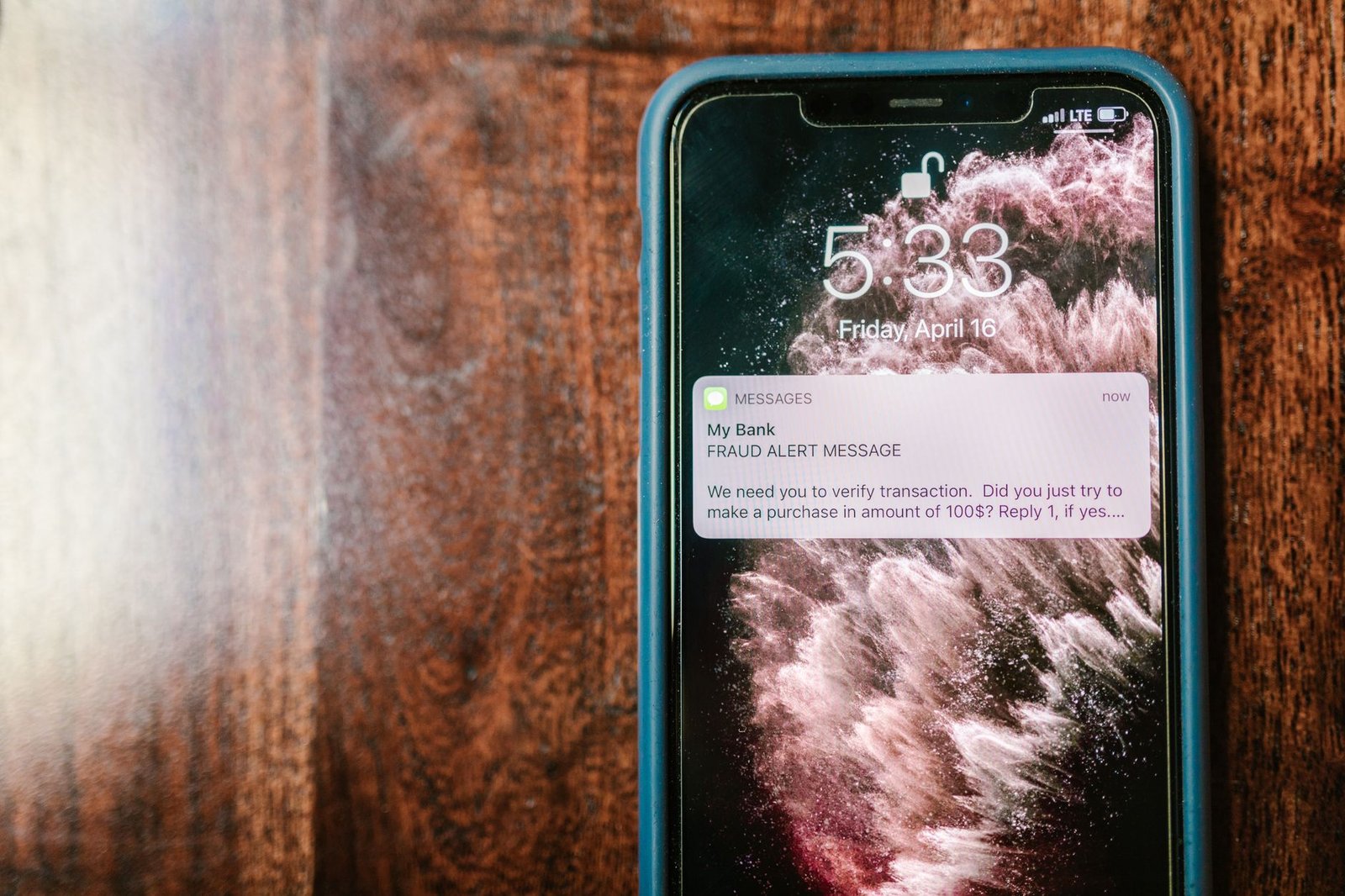
Here is the uncomfortable truth for 2026: most of the attacks that actually hurt people are not stopped by antivirus at all. Our own reporting on the biggest cybersecurity threats to watch in 2027 found the same pattern. The most common ways people lose money or data now are phishing emails, fake websites, stolen passwords reused across sites, and scams that trick people into handing over access themselves.
No antivirus can stop you from typing your password into a convincing fake login page, or from sending money to someone pretending to be your boss. That takes habits, not software. The four habits that matter most are these.
Use a password manager and give every account its own password. When one site is breached, and breaches happen constantly, your other accounts stay safe. Turn on two-factor authentication everywhere it is offered, especially on email, banking and social media. Your email account is the key to everything else, so protect it first.
Keep your operating system, browser and apps updated. Most updates fix security holes that attackers are already using. Turn on automatic updates and stop putting them off. And back up your files regularly, ideally to a drive you disconnect or a cloud service with version history. A backup is the only reliable recovery from ransomware.
Think of antivirus as a seatbelt. It helps a lot when something goes wrong, but it does not replace paying attention to the road.
How to decide in five minutes
If you want a quick decision, here is the whole guide in four steps.
First, check that your operating system is up to date and that Microsoft Defender or macOS protection is switched on. If you have turned anything off, turn it back on.
Second, count your devices and your risk. One careful user on one computer can rely on built-in protection. A family sharing devices, or anyone handling sensitive work, should look at a paid suite.
Third, if you are buying, compare the renewal price, not the first-year price, and pick the suite whose extras you will actually use. Bitdefender is the best all-rounder, Norton the most complete bundle, McAfee the best for many devices.
Fourth, whatever you choose, add the habits that matter more than the software: a password manager, two-factor authentication, automatic updates, and regular backups.
You do still need antivirus in 2026. For most people, though, the antivirus they need is already on their computer. The money is better spent on the habits and the extras that built-in protection does not cover.
Do you need antivirus in 2026?
Yes, but for most people the protection built into Windows or macOS is enough. Paid antivirus is worth it if you share devices, run a business, or want extras like a VPN, password manager and identity monitoring in one package.
Is Windows Defender enough by itself?
For a careful user who keeps Windows updated and downloads only from trusted sources, yes. Microsoft Defender regularly earns top marks from independent labs such as AV-TEST, and it catches the vast majority of common malware.
Do Macs need antivirus?
Macs are less targeted than Windows PCs, but they are not immune. macOS includes Gatekeeper and XProtect, which is enough for most Mac users. A paid suite is mainly worth it on a Mac for the extras, not for malware detection alone.
Is free antivirus safe to use?
Reputable free products from known vendors are safe, but they offer little more than Microsoft Defender and usually come with upgrade prompts. Check the privacy policy, since some free products collect usage data.
Which antivirus is best in 2026?
Bitdefender Total Security has the best overall combination of protection scores and price, at roughly $50 to $60 for the first year. Norton 360 Deluxe is the most complete bundle, and McAfee+ Premium is best for households with many devices because it covers unlimited devices.
How much does antivirus cost?
Expect roughly $40 to $60 for the first year for a leading suite covering five devices. Renewal prices are higher, roughly $110 to $150 a year, so always check the renewal price before buying.
Does antivirus slow down your computer?
Modern products add very little delay, but some are heavier than others. Check the performance scores from AV-TEST and AV-Comparatives before buying, and avoid running two antivirus products at the same time.
Does antivirus protect against phishing?
Partly. Most paid suites check web addresses against lists of known phishing sites and warn you before you enter details. But no antivirus can catch every fake site, so you still need to check links yourself and use two-factor authentication.
Can antivirus protect against ransomware?
Good suites include ransomware protection that watches for files being encrypted and can roll back changes. But the best defence is a regular backup kept separate from your computer, because no protection is perfect.
What is the best free antivirus?
For Windows users, Microsoft Defender, which is already built in, is the best free option. It is well tested, has no ads, and does not try to sell you an upgrade.
Should I run two antivirus programs at once?
No. Running two real-time antivirus products together causes conflicts, slows your computer, and can make protection worse rather than better. Pick one and stick with it.
Do phones need antivirus?
Android phones benefit from a security app, especially for scanning downloads and blocking malicious links, and most paid suites include it. iPhones are locked down enough that a separate antivirus app adds little, though a VPN and password manager are still useful.
#Antivirus #Cybersecurity #WindowsDefender #OnlineSafety #Bitdefender #Norton
This collection is curated by the Tech Cyber News Team, a group of tech writers publishing news, guides and reviews about technology and cybersecurity. Our team verifies every story and checks every step before publishing, so you can stay safe and informed online.